Unlocking Creativity: A Complete Guide to Flower Design for Laser Cutting and Vector File Formats
In the rapidly evolving world of digital fabrication and DIY crafting, the bridge between a static image and a tangible object has never been thinner. At the heart of this transformation lies the humble yet powerful vector file. Whether you are a hobbyist looking to create personalized gifts, a small business owner producing custom decor, or an educator introducing students to design technology, understanding how to utilize flower design for laser cutting is an essential skill. This guide explores the intricacies of these designs, specifically focusing on single-layer vector archives that include SVG, DXF, and PNG formats, ensuring your creative projects succeed from screen to material.
The Power of Single-Layer Vector Designs
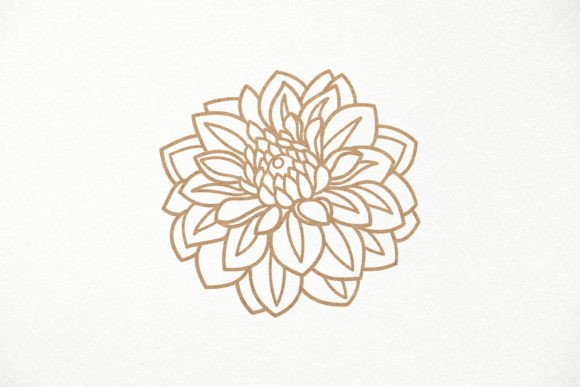
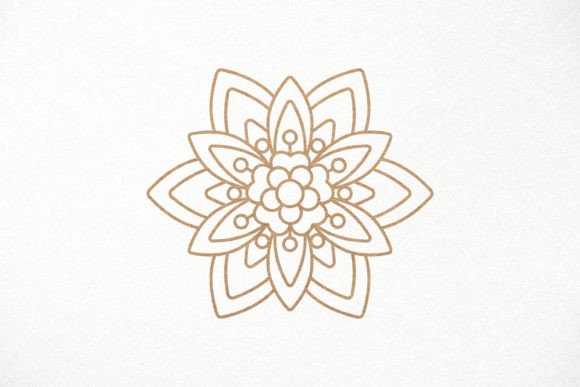
When browsing marketplaces for digital craft files, you will often encounter complex multi-layered compositions. However, there is a distinct advantage to choosing a single-layer design. For beginners and experienced users alike, a one-layer flower design offers simplicity without sacrificing beauty. Because the design does not fall apart into multiple pieces, it is incredibly stable during the cutting process. This structural integrity makes it ideal for materials that might warp or shift under heat, such as thin wood or certain plastics.
Think of a single-layer flower as a stencil or a silhouette. It captures the essence of the floral motif—the curves of the petals, the texture of the leaves—without requiring intricate assembly. This reduces setup time and minimizes the risk of errors during the cutting phase. The result is a clean, professional-looking piece that requires minimal post-processing. You can cut it out and immediately begin painting, staining, or assembling it into a larger project.
Understanding Your Digital Toolkit: SVG, DXF, and PNG
To get the most out of your flower design, it is crucial to understand the three primary file formats included in a typical zip archive. Each format serves a specific purpose and works with different software ecosystems.
SVG Files: The Gold Standard for Modern Cutters
The SVG (Scalable Vector Graphics) file is perhaps the most versatile format for contemporary crafters. Unlike raster images (like JPEGs), SVGs are made up of mathematical paths, meaning they can be resized infinitely without losing quality. This is vital for laser cutting and vinyl plotting.
- Cricut Design Space Compatibility: If you own a Cricut machine, the SVG file is your best friend. It imports seamlessly, allowing you to adjust sizes, change colors, and prepare the design for cutting or engraving directly within the app.
- Glowforge Integration: Glowforge users also rely heavily on SVGs. The software recognizes the vector paths, enabling precise cuts and detailed engravings. You can upload the SVG, place it on your virtual workspace, and hit start.
DXF Files: The Industrial Workhorse
The DXF (Drawing Exchange Format) is an older but highly respected standard in the CAD (Computer-Aided Design) world. While less common in home crafting than SVG, it is indispensable for those using more industrial machinery.
- Silhouette Studio: Many Silhouette users prefer DXF files for their precision and compatibility with advanced features in the software.
- CNC Laser Machines: If you are running a larger, commercial-grade CO2 or fiber laser cutter, DXF is often the preferred input format. It ensures that the machine reads the toolpaths correctly, preventing costly mistakes on expensive materials like thick acrylic or metal sheets.
PNG Files: Ready for Print and Engraving
While SVG and DXF are vector-based, the PNG (Portable Network Graphics) file is raster-based. You might wonder why a raster file is included in a vector package. The answer lies in versatility. PNG files are perfect for printing physical templates or for use in machines that handle image-to-vector conversion.
Furthermore, many modern laser engravers, including the Glowforge, allow you to upload PNGs for high-resolution photo-engraving effects. If your flower design includes shading or gradient details that vectors cannot capture, the PNG file allows you to engrave those nuances onto wood or leather. It is also ready-to-print, making it easy to create paper stencils for airbrushing or painting.
Material Versatility: From Paper to Metal
One of the most exciting aspects of digital cutting is the range of materials you can work with. A well-designed flower pattern is not limited to just one medium. Because the design is provided in scalable formats, you can adapt it to various textures and thicknesses.
Paper and Cardboard
For scrapbookers and card makers, paper flowers are a timeless craft. Using a single-layer SVG, you can cut intricate floral shapes from cardstock, vellum, or kraft paper. These can be layered to create 3D effects or used as delicate accents on invitations and greeting cards. The precision of the laser cut ensures that every petal edge is smooth and sharp, far superior to hand-cut alternatives.
Wood, Plywood, and MDF
Natural materials add warmth and elegance to laser-cut designs. Plywood and MDF (Medium Density Fiberboard) are popular choices for home decor, such as wall art, ornaments, and jewelry. When cutting wood, the single-layer design shines because it avoids the complexity of interlocking parts that might separate if the wood warps slightly due to laser heat. Always remember to sand the edges after cutting wood to remove any charred residue.
Acrylic and Plexiglas
Acrylic offers a modern, glossy aesthetic. Laser cutting acrylic results in polished, fire-smooth edges that require no additional finishing. Flower designs in clear or colored acrylic make stunning coasters, lamp shades, and decorative panels. The vector file ensures that the curves remain crisp, even when the material reflects light in complex ways.
Metal and Thin Sheet Materials
With the right equipment, such as a fiber laser or a high-wattage CO2 laser with assist gas, you can cut thin metals like brass or steel. Jewelry makers frequently use DXF files to create delicate flower earrings and pendants. The precision of the vector path is critical here, as even a millimeter of error can ruin a tiny component.
Customization: Making the Design Yours
A common misconception among new users is that they must accept the design exactly as shown in the preview. In reality, the power of digital files lies in customization. The preview images often display vibrant colors to showcase the potential of the design, but the actual files are typically delivered in black (or white, depending on the background).
This "black" color is not a limitation; it is a placeholder. In your cutting software, you can assign any color you wish to the design. More importantly, you can scale the design to any size. Need a tiny flower for an earring? Scale it down. Want a large wall hanging? Scale it up. The vector nature of the SVG and DXF files guarantees that the quality remains perfect regardless of the dimensions.
Best Practices for Successful Cutting
To ensure your flower design turns out beautifully, keep these practical tips in mind:
- Check Material Thickness: Ensure your laser settings (speed and power) are calibrated for the specific material you are using. What works for 3mm plywood may burn through 1mm acrylic.
- Secure Your Material: Use masking tape or a honeycomb bed to prevent the material from shifting during the cut. This is especially important for flexible materials like paper or thin vinyl.
- Test Run: If you are trying a new material or a new machine setting, always perform a test cut on a small sample piece first.
- Orientation Matters: Pay attention to the grain direction when cutting wood. Cutting with the grain can sometimes yield cleaner edges than cutting against it.
Conclusion
Embracing flower design for laser cutting opens up a world of creative possibilities. By leveraging the convenience of a single-layer vector archive containing SVG, DXF, and PNG files, you gain the flexibility to work across a wide array of materials and machines. Whether you are crafting delicate paper flowers, sturdy wooden decor, or sleek acrylic signs, these digital tools empower you to bring your artistic vision to life with precision and ease. As technology continues to democratize manufacturing, the ability to create professional-quality items at home becomes not just a novelty, but a valuable skill for creativity and commerce alike.